(English below)
本指南將帶您了解如何以雇主身份使用 WorkTW,從註冊帳號到刊登第一個職缺。
1. 註冊帳號
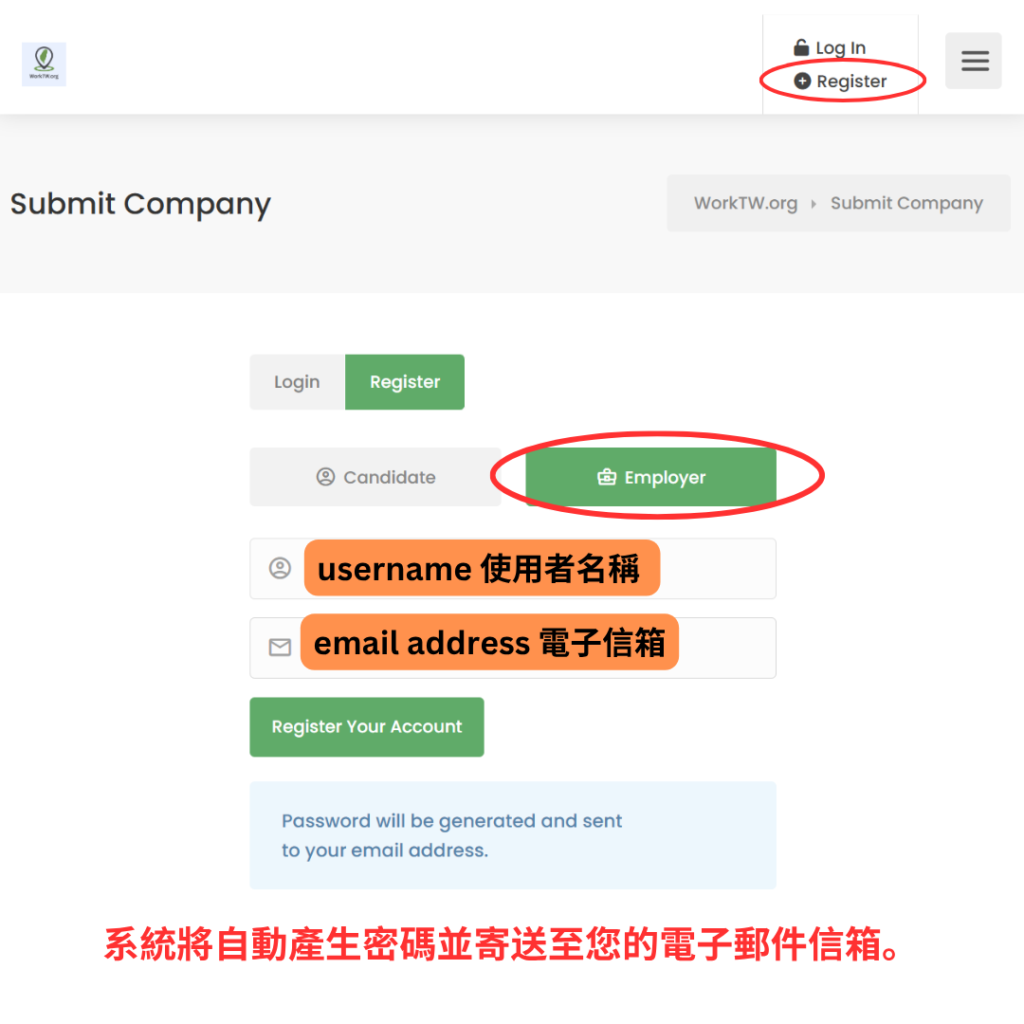
點選右上角的「Register」。
帳號類型請選擇「Employer(雇主)」。
輸入使用者名稱與電子郵件地址,然後點選「Register Your Account」。
系統將自動產生密碼並寄送至您的電子郵件信箱。
2. 確認電子郵件
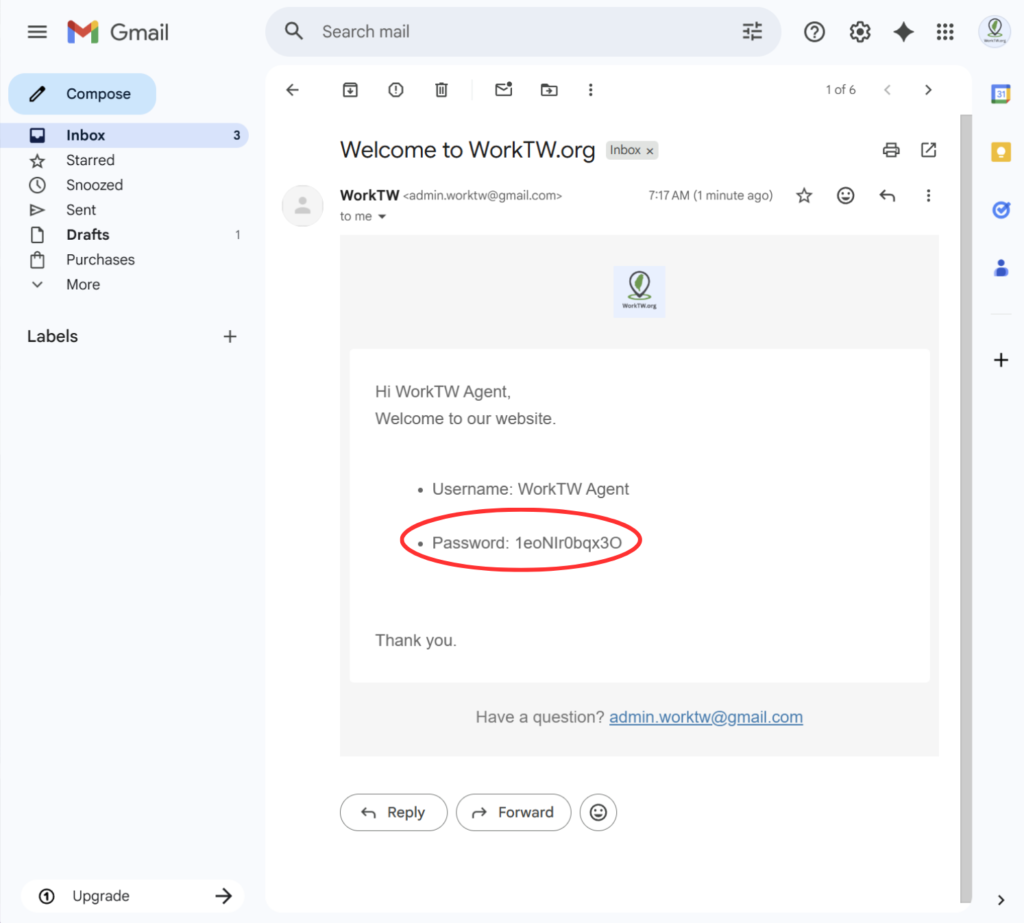
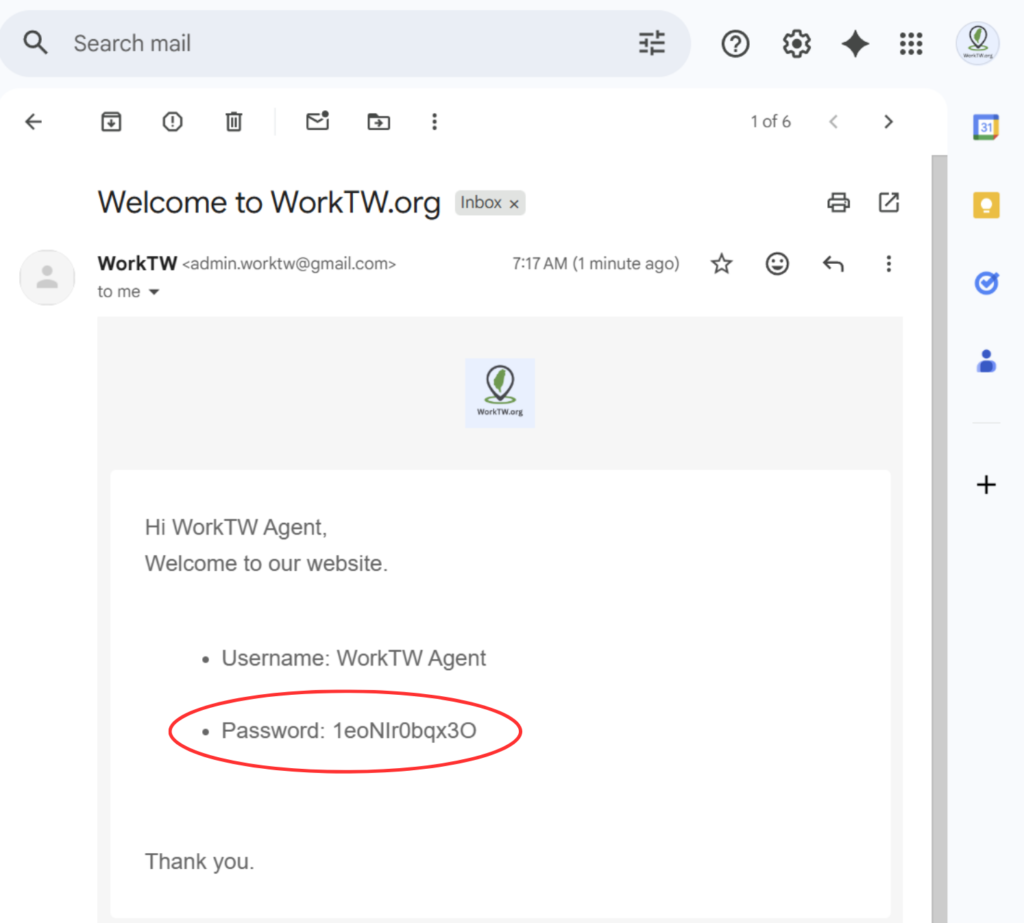
您將收到一封來自 WorkTW 的歡迎信,內含您的使用者名稱與密碼。
若收件匣中未見此信,請檢查垃圾郵件資料夾。
3. 登入並變更密碼
使用信件中提供的使用者名稱與密碼登入。
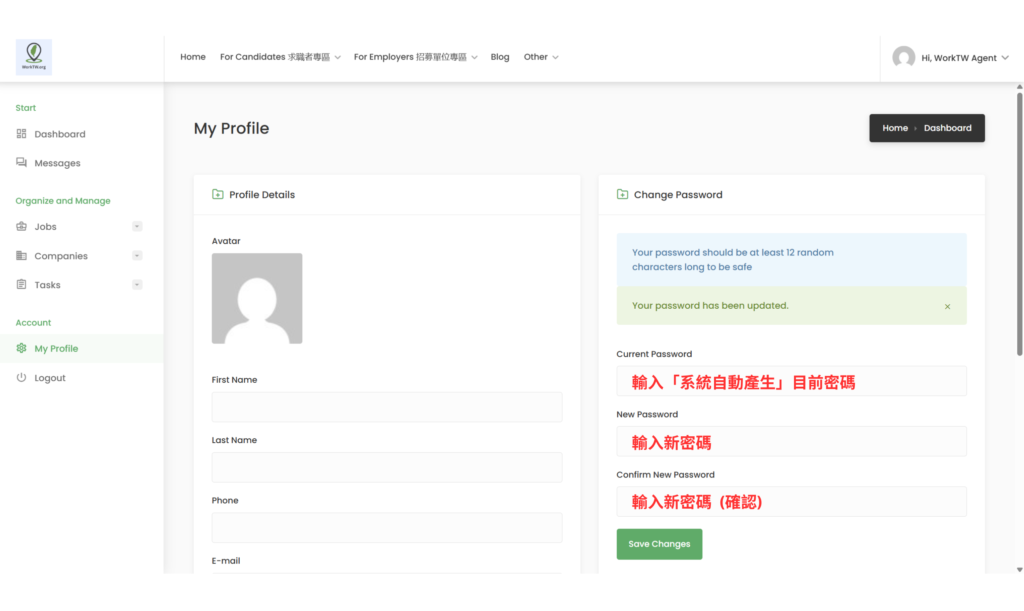
登入後,請前往後台中的「My Profile(我的個人資料)」。
在「Change Password(變更密碼)」欄位中,輸入目前密碼,再輸入並確認新密碼。
點選「Save Changes(儲存變更)」。
4. 建立公司頁面
刊登職缺前,請先建立公司資料頁面。請至導覽列選擇「For Employers → Add Company」。
填寫公司資料後送出,頁面經審核通過後即會顯示於網站上。
5. 刊登職缺
公司頁面審核通過後,請前往「For Employers → Submit Job」刊登第一個職缺。
職缺經審核通過後才會顯示於網站上。
需要協助?
請透過 admin.worktw@gmail.com 或 worktw.org/contact 與我們聯繫。
Employer Guide
This guide walks you through how to get started on WorkTW as an employer — from registering an account to posting your first job.
Step 1: Register an Account
Visit worktw.org/submit-company and click Register.
Select Employer as your account type.
Enter a username and your email address, then click Register Your Account.
A password will be automatically generated and sent to your email address.
Step 2: Check Your Email
You will receive a welcome email from WorkTW containing your username and password.
If you do not see it in your inbox, please check your spam or junk folder.
Step 3: Log In and Change Your Password
Log in using the username and password provided in the email.
Once logged in, go to My Profile in your dashboard.
Under Change Password, enter your current password, then enter and confirm your new password.
Click Save Changes.
Step 4: Create Your Company Profile
Before posting a job, you need to create a company profile. Go to For Employers → Add Company in the navigation menu.
Fill in your company details and submit. Your profile will be reviewed and approved before appearing on the site.
Step 5: Post a Job
Once your company profile is approved, go to For Employers → Submit Job to post your first listing.
Jobs will be reviewed before appearing on the site.
Need Help?
Contact us at admin.worktw@gmail.com or visit worktw.org/contact.